The platforms you love.
A whole new sound experience.
Transform the sound of your favorite movies, shows and music. 360 ON processes the stereo audio playing through your Mac — for a more immersive experience on your everyday speakers. Also works with headphones.
Try it first. Buy only if you love it. Keep it forever for $12.99 ↗
First time on a Mac? The free download comes with a simple PDF setup guide. How to open 360 ON ↗
SAME PLATFORMS. A WHOLE NEW SOUND.
Whatever you love to watch or listen to, 360 ON processes the supported stereo audio coming from your Mac — no special streaming plugins required.
Watch


Listen


Logos shown for descriptive reference only. All trademarks belong to their respective owners. No affiliation or endorsement is implied.
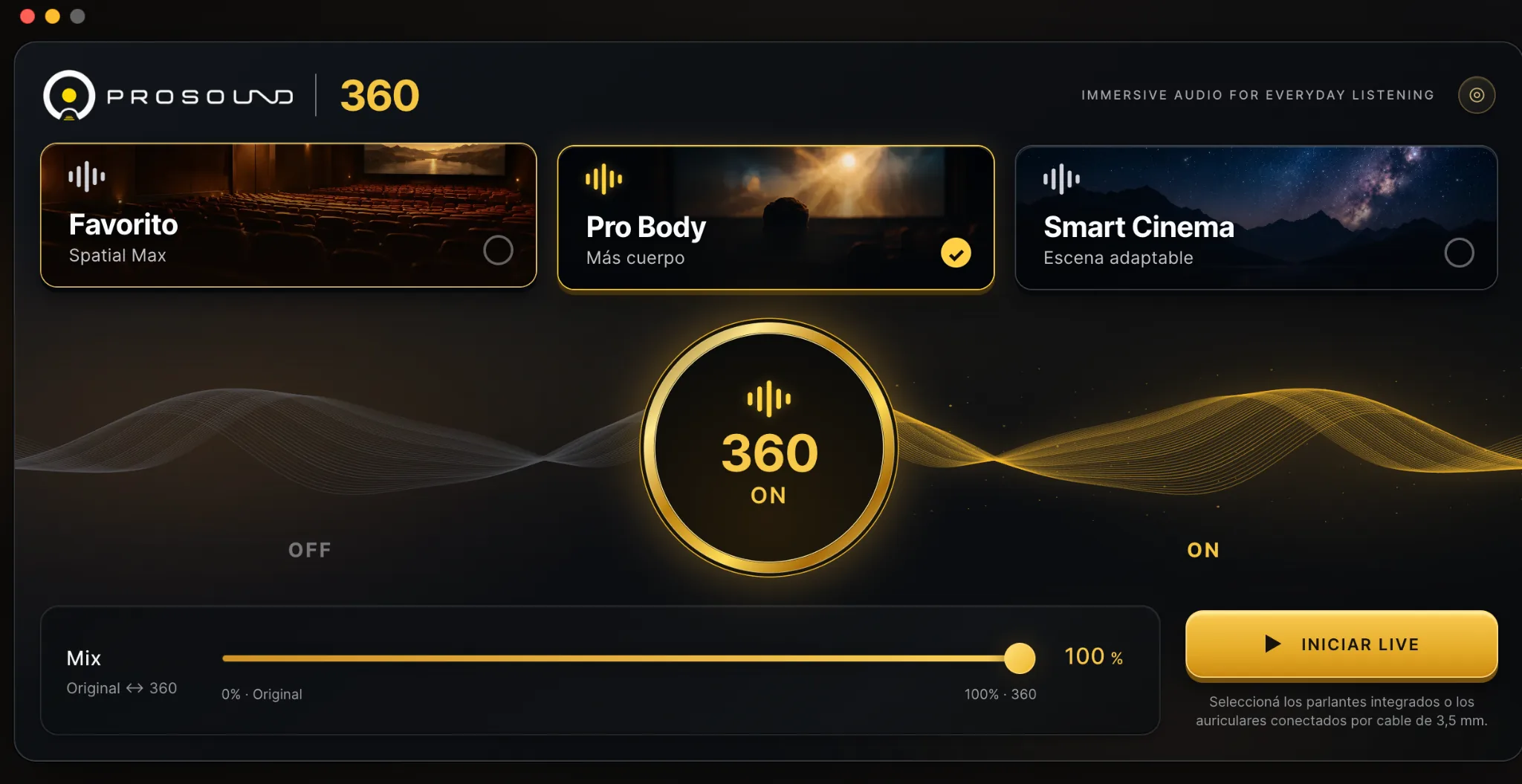
Development screenshot · Final 360 ON user interface may differ from this preview
Watch it. Feel it. Hear it differently.
Your everyday entertainment, with a spatial sound experience that adapts to what you love.
More cinematic.
Two cinema-focused sound modes designed to bring depth and space to your favorite audiovisual content.
More immersive.
A dedicated music mode with its own sound treatment, designed to expand the sense of space in stereo listening.
Big experience. Simple setup.
Just two speakers.
Designed for immersive playback through conventional stereo speakers. No multichannel surround setup required.
Your favorite content.
Movies, shows, videos or music: when compatible audio reaches the Mac output that 360 ON processes, it can apply its immersive stereo effect without a platform-specific integration.
Your intensity.
Choose between three sound modes and adjust the effect from 0% to 100% with one intuitive control.
Press ON. Enjoy.
No DAW. No studio knowledge. No maze of complicated audio settings.
Launch 360 ON.
Open the app on your Mac and use your everyday audio setup.
Pick your sound.
Select a cinema or music mode and set your preferred intensity.
Turn 360 ON.
Enjoy a more immersive presentation of compatible stereo playback.
All the experience.
None of the complexity.
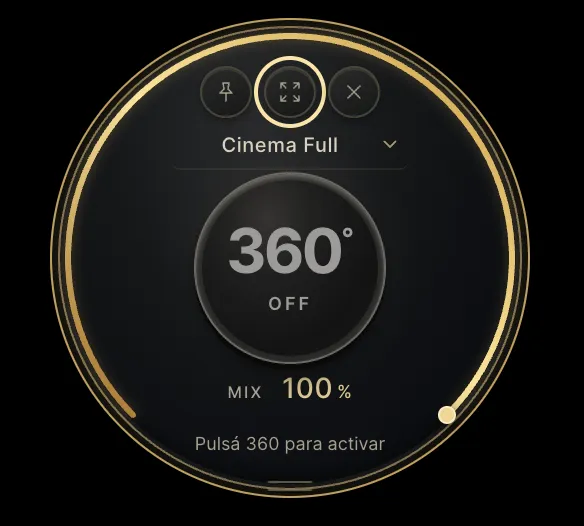
Switch to the compact Orbital view for a clean, effortless experience. Choose your mode, turn 360 ON and adjust the mix — all in one simple interface.
An immersive sound experience. Right at your fingertips.Start free. Keep it forever.
Enjoy the complete ProSound 360 ON experience on your Mac for 15 days. Hear the difference in your own setup before deciding to buy.
Experience first.
Decide later.
- All three immersive sound modes
- One-click ON/OFF and intensity control
- Designed for stereo speakers; works with headphones
- 15-day full-feature trial
- No subscription
Discover a more immersive sound experience. No payment required to start.
Start My Free Trial ↗Unlock lifetime use on 2 devices for $12.99 USD, one-time.
Buy a lifetime license ↗Need help opening the Mac app? View first-time installation steps ↗ — the PDF also comes with the free download.
A quick note before you press ON.
When opening 360 ON for the first time, macOS may ask you to approve the app in System Settings. Our current release is not yet notarized by Apple. We've included a short installation guide with the free download so you know what to expect.
Get 360 ON
Use the official ProSound link. The download includes the DMG installer and our PDF guide.
Move to Applications
Open the DMG and drag 360 ON into your Mac's Applications folder.
Open Anyway, if needed
If macOS blocks the first launch, try opening once, then go to System Settings → Privacy & Security and choose Open Anyway if available.
Grant audio access
Confirm the launch and allow system audio capture if macOS requests it. This is a separate permission from app opening.
Only proceed if you downloaded the installer from ProSound and trust the file. Do not disable macOS protections or run Terminal bypass commands. If macOS reports that the app is damaged or contains malware, stop and contact ProSound.
Frequently asked questions
Why does macOS ask for approval when I open 360 ON?
This Mac release has not yet been notarized by Apple, so you may need to approve its first launch in System Settings → Privacy & Security. The free download includes a one-page PDF with instructions. If 360 ON requests system audio capture permission, that is a separate permission used for processing your Mac's sound. See the first-time setup guide →
Do I need a 5.1 or 7.1 speaker system?
No. 360 ON is designed to create a more immersive stereo listening experience using everyday stereo speakers. It does not turn them into physical multichannel speakers.
Does it work with headphones?
Yes, headphone listening is part of the intended experience. Perceived spatial effects may differ from speaker listening.
Does it work with my favorite streaming services?
360 ON works at the Mac audio-output level, not as an add-on for each streaming service. Audio sent through the supported output can be processed whether it comes from a browser, a movie app or a music app. Specific device routes, protected content and system configurations may impose limitations; final launch requirements will be published after testing.
What happens after my 15-day free trial?
The 15-day trial and one-time license purchase are listed separately on Lemon Squeezy. The license activation workflow should be tested end-to-end before the public launch.
What does a perpetual license include?
The planned license allows permanent use of the purchased version on up to two active devices. Policies for major-version upgrades and offline use will be confirmed before sale.